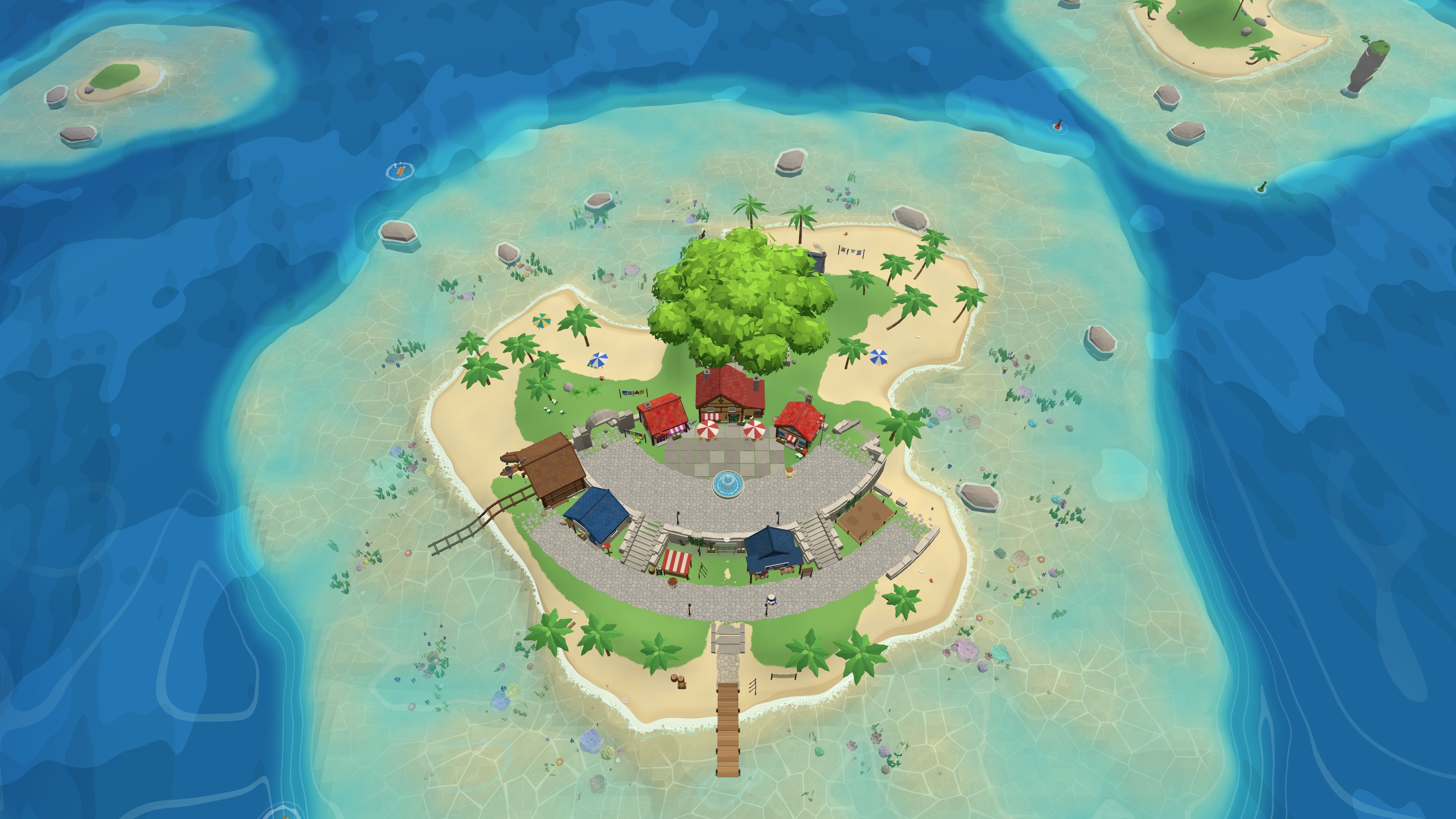
The easiest cozy games on a Chromebook are browser games: Townscaper (web version), Peggy's Post and Little Alchemy 2 run in Chrome with nothing to install. If your Chromebook runs Android apps, Stardew Valley is on Google Play. We checked every game page on October 29, 2026.
At a glance
| Game | Best for | Length | Platforms |
|---|---|---|---|
| Townscaper (web version) | Anyone who wants a few quiet minutes of building with no goals | Open-ended | Browser (desktop); full game on PC, Switch, mobile and more |
| Peggy's Post | Players who like a cozy job with sorting and stamps | About 1 hour, plus an endless mode | Browser (desktop), Windows, Mac |
| Little Alchemy 2 | Curious players who want five minutes at a time | Open-ended | Browser (desktop and mobile), iOS, Android |
| Snug | Fans of packing puzzles like Unpacking | About 15 to 30 minutes | Browser (desktop, mouse), Windows, Mac |
| Welcome Googoo | Players who want something sweet in one coffee break | About 10 to 15 minutes | Browser (desktop, mouse), Windows, Android |
| Little Chef (prototype) | Players who like to play with food | About 30 minutes | Browser (desktop, mouse), Windows, Mac |
| Fossil Quest (prototype) | Players who want to dig, collect and decorate | About 30 to 60 minutes | Browser (desktop), Windows |
| A Short Sail | Chromebook owners with a recent model who want to try a 3D cozy game | Not shared yet | PC (Windows), Mac, Web, Steam Deck |
| Stardew Valley (Android) | Players who want one long, comforting game on a Chromebook | About 54 hours for the main goals (HowLongToBeat) | PC, Mac, Linux, Switch, PS4, Xbox One, iOS, Android |
Three ways to play cozy games on a Chromebook
A Chromebook does not run Windows, so most PC games will not install on it. That still leaves three good routes:
- Browser games. Anything that runs in Chrome runs on a Chromebook. This is the simplest way, and it works on school and work Chromebooks too, unless an admin blocks the site.
- Android apps. Many Chromebooks can install Android apps from Google Play. Some cozy games have Android versions. Not every app works well with a keyboard, so read the store page first.
- Cloud gaming. A service such as GeForce NOW streams a PC game to your Chromebook over the internet. You need a fast, steady connection, and you need to own the game or pay for the service.
A short, honest note on Steam
Google ran a Steam for Chromebook beta on some models. Google later announced that the beta would end, and we could not confirm its status today. So we do not recommend it here. If you want to try it, check Google’s page first.
Our picks
- Best first pick: Townscaper (web version)
- Best cozy job: Peggy’s Post
- Best for short breaks: Little Alchemy 2
- Best tiny puzzle: Snug
- Best long game: Stardew Valley (Android)
- Our own game: A Short Sail (in development; the free demo runs in a desktop browser with WebGL 2)
How we checked
On October 29, 2026, we opened every page. For itch.io games, we checked that the page lists HTML5 and offers to run the game in the page. For Stardew Valley, we checked its Google Play page. Browser games change often, so if one stops loading, the developer may have moved it to a download.
Most of these are made for a mouse or a trackpad. A Chromebook trackpad is fine for all of them. For more, see our full list of cozy browser games.
Free browser games
Townscaper (web version)
Who it is for: anyone who wants a few quiet minutes of building with no goals.
You click on water to place colorful blocks, and the game turns them into houses, arches, stairs and canals by itself. It is close to meditation. The free web version has a smaller building area than the paid game, and it cannot save. It does not support phones.
Developer: Oskar Stalberg | Year: 2021 (web version) | Platforms: Browser (desktop); full game on PC, Switch, mobile and more | Length: open-ended | Price: free | Play in your browser
Peggy’s Post
Who it is for: players who like a cozy job with sorting and stamps.
You run a little post office by the sea. You sort mail, add postage and pack parcels onto boats while you pay off a loan. It is a calm take on a paperwork game. There is no tutorial, some parts are fiddly, and the loan can feel like pressure. More in our cozy mail delivery games.
Developer: digitarium | Year: 2023 | Platforms: Browser (desktop), Windows, Mac | Length: about 1 hour, plus an endless mode | Price: free (pay what you want) | Play on itch.io
Little Alchemy 2
Who it is for: curious players who want five minutes at a time.
You start with air, earth, fire and water, and combine them to discover hundreds of things, each with a witty little line. It is more of a puzzle than a cozy world, and late recipes can send you to the hints. Your progress stays in that one browser. It also has Android and iOS apps.
Developer: Recloak | Year: 2017 | Platforms: Browser (desktop and mobile), iOS, Android | Length: open-ended | Price: free | Play in your browser
Snug
Who it is for: fans of packing puzzles like Unpacking.
You pack odd, jiggly items into bags like a soft game of Tetris, then guess who owns the bag from what is inside. It is cute and light. It has only a few levels, and the wobble can be hard on a trackpad if your hands are not steady.
Developer: Cookiecrayon | Year: 2025 | Platforms: Browser (desktop, mouse), Windows, Mac | Length: about 15 to 30 minutes | Price: free | Play on itch.io
Welcome Googoo
Who it is for: players who want something sweet in one coffee break.
You write invitation letters to villagers, using word tiles and stickers to suit each one. It is silly and very cute. It is also very short, and some players find the words in the top corner hard to drag in a browser.
Developer: Doot, Blibloop, FishMasterino | Year: 2022 | Platforms: Browser (desktop, mouse), Windows, Android | Length: about 10 to 15 minutes | Price: free | Play on itch.io
Little Chef (prototype)
Who it is for: players who like to play with food.
You drop, chop and mix ingredients with bouncy physics, and find recipes by trying things. It is cute and curious. It is a short prototype with basic saves. The full game, Little Chef: Cozy Cooking, is a download on Steam, so it will not install on a Chromebook.
Developer: Julien Truebiger, Danny van Duist, hello erika | Year: 2023 | Platforms: Browser (desktop, mouse), Windows, Mac | Length: about 30 minutes | Price: free | Play on itch.io
Fossil Quest (prototype)
Who it is for: players who want to dig, collect and decorate.
You dig fossils at dig sites, build skeletons and set up a home museum for visitors. There is no time pressure. There is also no tutorial or list of controls, and the developer says the download version runs smoother than the browser one, so a slow Chromebook may feel it.
Developer: Unsigned Double Collective | Year: 2025 | Platforms: Browser (desktop), Windows | Length: about 30 to 60 minutes | Price: free | Play on itch.io
A Short Sail
Who it is for: Chromebook owners with a recent model who want to try a 3D cozy game.
A Short Sail is a cozy sailing game where you are a little tabby cat with a sailboat. You deliver mail, fish and make friends across the islands.
Its free demo at play.ashortsail.com runs in a current desktop browser with WebGL 2. Chrome on a Chromebook is a desktop browser, so the demo may run on yours. But it is a 3D game, and we have not tested it on every Chromebook, so a low-end model may struggle. The best test is to open it and see. It is not made for phones or tablets. The full game is coming in Q1 2027 and will also play in the browser.
Developer: Yos Riady | Platforms: PC (Windows), Mac, Web, Steam Deck | Length: not shared yet | Free demo at play.ashortsail.com | Play the demo
An Android pick
Stardew Valley (Android)
Who it is for: players who want one long, comforting game on a Chromebook.
You take over your grandfather’s old farm and build a life in a small town. You farm, fish, mine and make friends. The Android version is on Google Play, so it installs on Chromebooks that run Android apps. Its store page says it supports touch, a virtual joystick and external controllers, and that the mobile version does not support multiplayer. It is a paid app. The mines have monsters. For more, see games like Stardew Valley.
Developer: ConcernedApe | Year: 2016 (Android in 2019) | Platforms: PC, Mac, Linux, Switch, PS4, Xbox One, iOS, Android | Length: about 54 hours for the main goals (HowLongToBeat) | Google Play page
Will my Chromebook run a 3D browser game?
Small 2D games like the ones above run on almost any Chromebook. 3D browser games need WebGL, the part of the browser that draws 3D graphics. To check yours, open get.webgl.org/webgl2 in Chrome. If you see a spinning cube, your Chromebook supports WebGL 2.
Even then, a 3D game can run slowly on a budget Chromebook with a small processor and 4 GB of memory. Close other tabs, plug in, and lower the quality if the game has a setting for it. If you want PC games that run on older hardware, see cozy games for a low-end PC.
Related guides
- Cozy browser games
- Best cozy games on itch.io
- Cozy game demos
- Cozy games for a low-end PC
- Cozy games on Linux
Questions
Can you play Steam games on a Chromebook?
Steam for Chromebook was a beta on some models, and Google announced that it would end. We could not confirm its status today, so check Google's page before you count on it. Browser games, Android apps and cloud gaming are the safer routes.
Can I play Stardew Valley on a Chromebook?
If your Chromebook can install Android apps from Google Play, yes: the Android version of Stardew Valley is on Google Play. Its store page says the mobile version does not support multiplayer.
What are the best free cozy games for Chromebook?
Browser games. The free web version of Townscaper, Peggy's Post, Little Alchemy 2, Snug and Welcome Googoo all run in Chrome with nothing to install.
Do Chromebook browser games save progress?
Some do, but the save lives in that one browser. If you clear your browsing data, or use a school Chromebook that resets, your progress is gone. Townscaper's web version does not save at all.
Does the A Short Sail demo run on a Chromebook?
It may. The demo runs in a current desktop browser with WebGL 2, and Chrome on a Chromebook is a desktop browser. It is a 3D game, so a low-end Chromebook may struggle. We have not tested every model, so try it and see.